


Spades - Classic Card Game
4.716.53K Reviews
App Specs
- Version
- 1.7.6
- Updated On
- License
- Free
- Downloads
- 5,000,000+
- Developer
- FIOGONIA LIMITED
- Categories
- Card
- Platform
- Android, iOS
Screenshots
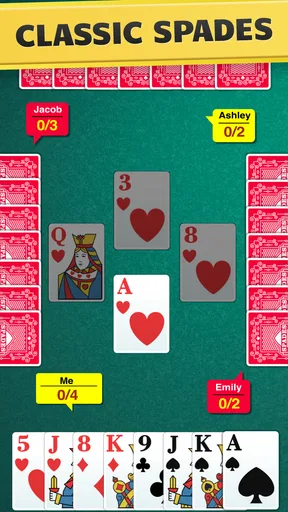
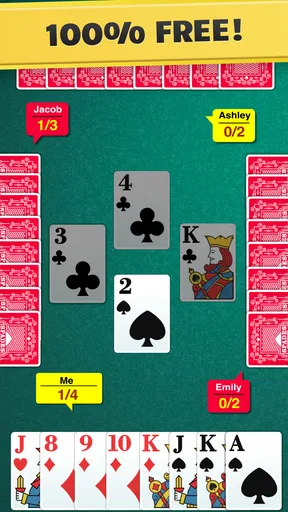
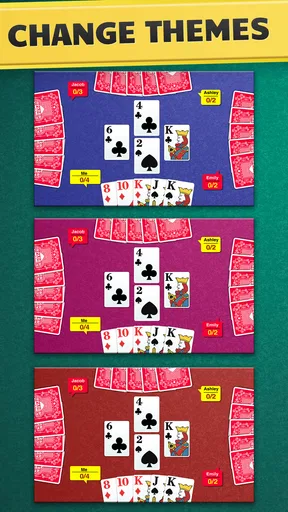
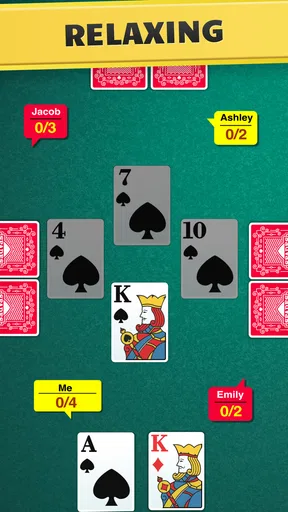
 Analysis by AppCompare
I like card games that make a short break feel engaging without demanding a long setup, and Spades is a good fit for that. The central appeal of Spades - Classic Card Game is the familiar trick-taking challenge: each hand asks you to judge what your cards can do and make a sensible prediction. That gives a quick game more weight than simply playing the highest card, while keeping the basic idea approachable for someone learning the rules.
Why the prediction is the heart of each hand
Spades revolves around estimating how many tricks you can win, then trying to make your play match that estimate. I find that this small decision changes how I look at the whole hand. A strong card is not automatically a reason to spend it immediately; its value depends on what I have promised to win and what my remaining cards might contribute later.
That makes the game a useful mix of planning and adjustment. Your initial read can be reasonable and still need revising as cards appear. I recommend new players focus first on making a careful estimate rather than trying to predict every move at the table. The game becomes easier to follow when you treat each trick as fresh information, not just a race to take cards.
Learning the rhythm without a real table
The app presents the rules in a way that can help a newcomer get into a hand without first memorizing a rulebook. In practice, I’d use the early games to learn the sequence: make a prediction, watch the cards played, and notice how each trick affects what remains possible. That is a more useful learning loop than simply tapping through a tutorial and expecting the strategy to click at once.
The digital format also removes some of the small logistics of a physical game. There is no deck to shuffle or deal, and the interface handles the card movement. Its controls are straightforward, with cards that can be dragged and dropped, while the animations keep the action visible without taking over the screen. If you already know Spades, you can concentrate on decisions; if you are still learning, the clear presentation helps you track the hand.
What the computer and online play are good for
Playing against the AI is a practical way to get repetitions when nobody else is available. The app offers different difficulty levels, so I’d start on an easier setting while learning the flow, then move up once I’m making predictions with more confidence. A computer opponent is convenient for practice, though it is not the same as reading the habits and choices of people you know.
When you want a more social contest, multiplayer lets you play with or against other people. That makes the game more appealing for players who enjoy the shared rhythm of a card table rather than solitary practice. It is also a different kind of challenge: your decisions matter, but the experience depends on the people at the other end of the match. I would choose AI for a calm learning session and multiplayer when I specifically want human competition.
Worth Reading Before You Choose

EA SPORTS FC Mobile 26 Is a Bigger Football Game, but It Takes Time

Flipboard Shows What News Apps Must Do Beyond the Feed

Switching to Android Auto Means Rethinking Your Driving Routine

Google Calendar Makes a Crowded Week Easier to Manage

Ludo King Makes the Most of the Minutes Between Plans

Baby Panda World Brings Quick Play to Modern Phones, but Its Game Library Feels Busy
How it fits into an everyday routine
A realistic use for this game is a quiet stretch during a commute, a wait before an appointment, or a few minutes at home when I want something more involved than scrolling. A single hand gives me a clear decision to think about, and I can return to another round when I have time. I would not treat it as a game to open while I need to keep switching attention, since following the cards and making a useful estimate both take focus.
The option to play online or offline is especially useful when choosing how to spend that time. Offline play suits a place with unreliable connectivity or a moment when I simply want to practice on my own. Online play is the better choice when the point is to share a match with other players. That distinction is worth keeping in mind: the two modes serve different moods, rather than making every session feel interchangeable.
Small choices that make practice more useful
One practical habit is to pause before each hand and ask what would make your prediction achievable. Instead of counting only your strongest cards, consider whether your hand looks dependable across several tricks or relies on one uncertain opportunity. Then, after the round, compare that expectation with what actually happened. That simple review can teach more than immediately starting another game, especially if you are still learning how to judge your cards.
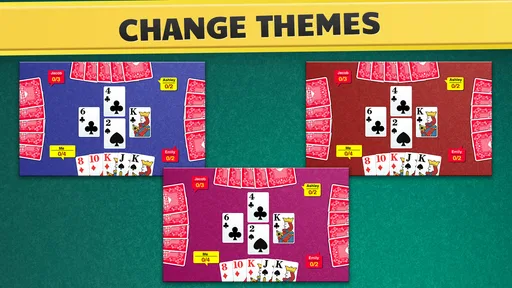
Another helpful approach is to change one thing at a time while practicing. Keep the game at a comfortable pace while you learn the rules; once you can follow the action easily, try a faster setting if you want a brisker session. Different deck designs and backgrounds can make the table feel more personal, but readability matters more than decoration when you are trying to track cards. I’d pick a clear design first and experiment with appearance later.
The app is made by FIOGONIA LIMITED and is a free card game, with optional in-app purchases priced from $4.99 to $49.99 per item. It has a 4.7 average from around 50,000 ratings, and more than 1 million installs. Those figures suggest it has found an audience, but they do not tell me whether its style suits every player. I would approach the purchase options as optional extras and decide whether I want them only after trying the basic game.
Where it differs from a physical deck or other card apps
Compared with a physical deck, the app is faster to start and does the dealing and card handling for you. That convenience is a real advantage when I am alone or do not have a table of players nearby. A physical game remains better for face-to-face conversation and the relaxed social cues that come with playing in the same room. This app brings the rules and decisions to a phone, but it cannot reproduce that particular atmosphere.
Compared with a simpler casual card game, Spades asks for more attention to the relationship between a prediction and the cards you actually play. That added planning is what makes it satisfying for me, but it is also a reason it may not suit someone looking for a game that can be played without following the round. If you want quick visual action or a game built around collecting cards rather than taking tricks, a different card app may be a better match.
Personal touches, and a social limitation to consider
Customizable play speed, deck designs, and backgrounds give you a few ways to make the table more comfortable. The in-game chat adds a social layer to multiplayer, which can make a match feel less like playing against anonymous moves. I would still keep chat secondary to the game itself: it is most useful when players want to communicate, not something that changes the underlying decision-making.
The sound effects evoke dealing and shuffling, and they can be turned off if you prefer silence. That is handy when playing in a shared space or when you want to keep a session low-key. The simple visuals are also a sensible fit for a card game: clear cards and a readable interface matter more than elaborate effects when your attention is on the hand.
Who will enjoy it, and who may want another option
I think this is a strong choice for someone who already enjoys trick-taking games, wants to practice Spades without organizing a group, or likes a game that rewards considered decisions over reflexes. New players can use the rules guidance and AI games to build familiarity, while experienced players can use online matches when they want opponents beyond the computer. Its Everyone content rating makes it suitable for a broad audience, though younger players may still need time to understand the strategy.
I would skip it if I wanted a very casual game that needs almost no concentration, or if my main reason for playing cards is to spend time with friends in person. The multiplayer option offers a social alternative, but it is not a substitute for sitting around the same table. Players who dislike making predictions may also find the central mechanic more demanding than a straightforward luck-based game.
The game was released on September 17, 2018, and its current version is 1.7.3. It requires Android 7.0 or later. Those details make it easier to judge basic compatibility before installing, while the free entry point gives you a chance to see whether this style of Spades works for you before considering any optional purchases.
A measured recommendation
For me, the best reason to play this title is the way a simple prediction gives each hand a small strategic puzzle. The computer opponents make practice available on your own, while multiplayer gives you a more human contest when that is what you want. I would use it in short, focused sessions and pay attention to how my estimate holds up, rather than expecting every round to be an effortless time-killer.
Spades - Classic Card Game is worth trying if you want a familiar card-table challenge on your phone and value having both offline and online ways to play. Its clean presentation and adjustable pace make it approachable, but the appeal still depends on enjoying the central task of judging tricks. If that sounds satisfying, it is an easy game to keep on hand; if you want conversation, constant action, or a game that asks little attention, a physical deck or another kind of card game will serve you better.
First things first, downloading the game is a breeze; it's available on both Android and iOS, so no one’s left out. Once installed, the setup is straightforward. The app welcomes you with a clean interface and a quick tutorial if you're new to the game.
For those unfamiliar, Spades is a trick-taking card game that requires you to predict the number of tricks you’ll win in each round. The app does a fantastic job of explaining the rules, so even if you’re a newbie, you’ll be playing like a pro in no time.
The Gameplay Experience
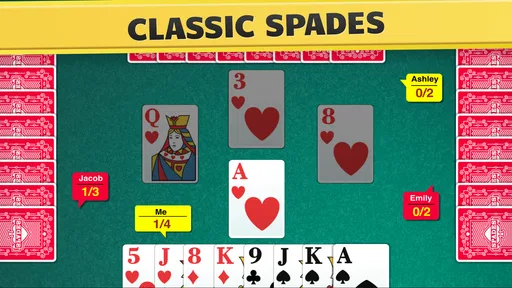
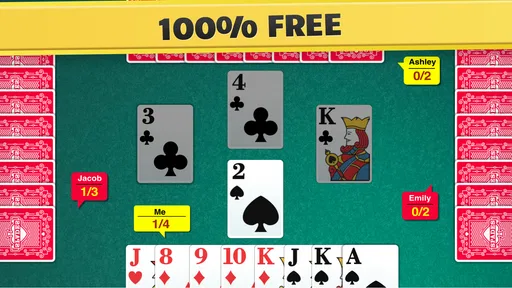
Let’s dive into the gameplay. One of the highlights of this app is its smooth and intuitive controls. You can easily drag and drop cards, and the animations are crisp without being over-the-top. The game stays true to its classic roots while adding a few modern touches.
Playing against the AI is a challenge in itself, with varying levels of difficulty. Whether you’re a beginner or a seasoned player, there’s a level for everyone. And if you’re feeling competitive, the multiplayer mode lets you team up with or compete against other players around the globe.
Features That Stand Out
One of the standout features of the app is its customizable settings. You can adjust the speed of play, choose different deck designs, and even change the game’s background to fit your mood. It’s these little touches that make the game feel personal.
Another cool feature is the in-game chat. It lets you communicate with other players, adding a social element to the game. Whether you’re discussing strategy or just having a bit of fun, it enhances the overall experience.
Visuals and Sound
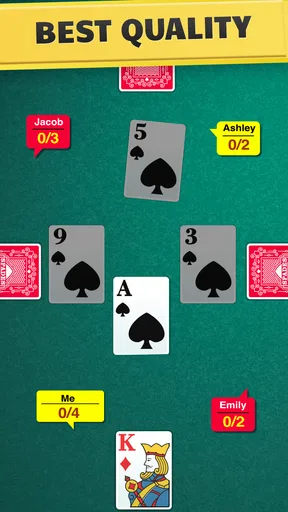
Visually, the game keeps things simple, which I appreciate. The cards are easy to read, and the user interface is clean, making it easy to navigate through different options. The sound effects mimic the real-life card-playing experience, complete with shuffling and dealing sounds.
If you prefer a quiet game, you can easily turn off the sounds without losing any of the game’s charm. It’s that flexibility that makes it appealing to a wide range of players.
Final Thoughts
In the end, it offers a robust and enjoyable card-playing experience right on your mobile device. Whether you’re killing time on your commute or looking to unwind after a long day, this app delivers a satisfying and nostalgic trip to the card table.
With its easy-to-use interface, customizable settings, and the ability to play against friends or global competitors, it’s a game that can keep you entertained for hours. So, why not give it a try? After all, there’s nothing quite like the thrill of a perfectly executed Spades game!
Pros
- Intuitive interface for easy gameplay.
- Multiplayer mode enhances social interaction.
- Customizable game settings available.
- Offline mode for uninterrupted play.
- Regular updates with new features.
Cons
- Ads can be intrusive during gameplay.
- Limited free features without in-app purchases.
- Occasional connectivity issues in multiplayer.
- Graphics may seem outdated to some users.
- No tutorial for beginners to learn rules.
FAQs for Spades - Classic Card Game
What platforms is Spades - Classic Card Game available on?
Spades - Classic Card Game is available for both Android and iOS devices. You can download it from the Google Play Store for Android or the Apple App Store for iOS. Ensure your device meets the minimum system requirements for a smooth gaming experience.
Does Spades - Classic Card Game offer multiplayer options?
Yes, the game provides both single-player and multiplayer modes. You can play against AI or challenge friends in online multiplayer. The game also features a chat function, allowing you to communicate with other players during gameplay, enhancing the social experience.
Are there in-app purchases in Spades - Classic Card Game?
While Spades - Classic Card Game is free to download and play, it does offer in-app purchases. These can include additional themes, card designs, and other cosmetic items. The purchases are optional and not necessary to enjoy the core gameplay.
What kind of customization options are available?
Spades - Classic Card Game offers a range of customization options. Players can choose from different card designs, table layouts, and themes to personalize their gaming experience. These customizations allow you to tailor the look and feel of the game to your preferences.
How is the user interface and overall experience?
The user interface of Spades - Classic Card Game is intuitive and user-friendly, designed to cater to both new and experienced players. The graphics are smooth, and the game provides clear instructions and tutorials, making it easy to understand the rules and strategies of Spades.


